 FPV
Built like the real thing
Physics first: motors, props, batteries and wind are simulated, so it flies the way a quad flies.
Real flight model
1 kHz physics with motor lag, prop wash, ground effect, battery sag and gusty wind. Acro, Angle and Horizon modes with Betaflight rates.
Your controller
Xbox and PlayStation pads, RC radios over USB (EdgeTX, OpenTX), DJI remotes, or the keyboard. A setup wizard calibrates any of them.
Multiplayer
Join a friend's server, vote for a map, fly together with names over the drones, chat and collisions. Hosting is free and easy.
VR goggles
Fly in a Meta Quest over Link or Air Link: the FPV feed sits in front of your eyes like real goggles.
Record and edit
Record a flight, then cut it, pick the camera, add music, switch the OSD on or off and export an MP4. Replays never show the video breakup.
Flight Path
Earn XP with tricks, level up to 50 and unlock 30 more drones and 31 skins with a free pilot account.
Living worlds
Water you can drown in and that ripples under your prop wash, race cars lapping the circuits, a map view and teleports.
Plugins
Change anything with JavaScript plugins: on-screen text and panels, menu tabs, settings, keys, 3D objects and physics. How to make one →
Twelve maps
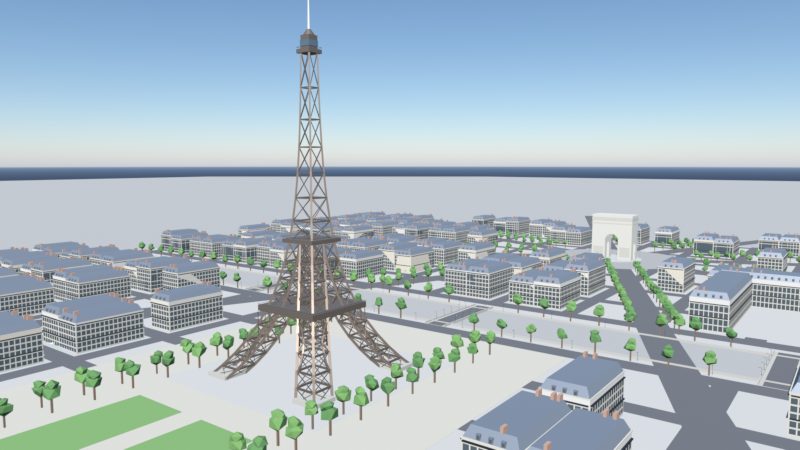
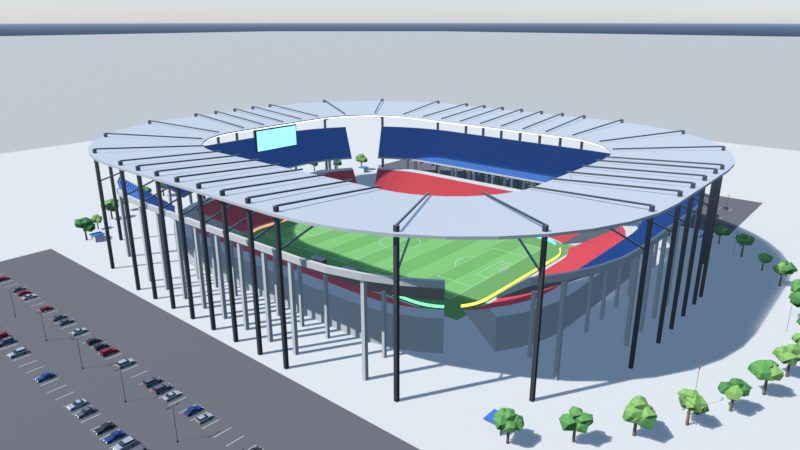
Each one built for a style of flying: freestyle gaps, race lines, cinematic cruising and long range.
The Flight Path
Tricks earn XP, XP raises your Pilot Level, levels unlock drones and skins.
- Free pilot account: your level and unlocks follow you to any computer or phone.
- Score tricks in single player or multiplayer: flips, rolls, power loops, Split-S, dives, gaps, proximity and inverted hang time. Chain them for up to x3, but crash right after and the points are gone.
- 50 levels with 30 more drones to claim, from a 65 mm Pro whoop to a 13" X-Class, a 13" endurance cruiser and the level-50 Titan 5" prototype. A daily XP limit keeps it a journey: finishing takes at least a week.
- 31 skins for any drone, including chrome, copper, rose gold, sapphire, glowing Matrix and Aurora, and the level-50 Legend finish. Other pilots see them.
- Your level shows next to your name on multiplayer servers.
35 drones
Real classes with their own weight, motors, props, batteries and rates. Five to start, thirty more on the Flight Path.
True-X 225 mm, 2207 motors, 6S. Punchy and precise: dives, gaps and power loops.
Light, stiff and fast, with a high camera angle for full-throttle race lines.
Ducted 1S whoop that bounces off walls. Made for the House map.
Ducted and smooth for slow, cinematic shots through the town.
Efficient and calm for kilometres of mountain surfing and cruising.
Fly with your friends
- Open Multiplayer, choose a name, paste a server address and join.
- See who's in the lobby. The owner presses Start, everyone votes for a map.
- Fly together: names over the drones, chat with T, bump into each other.
- Recordings keep every pilot, and the replay editor can show their names.
Host your own server
One download for Windows or Linux, like a Minecraft server: pick a port, share the address or a free playit.gg tunnel, and manage everything from the console or an admin window.
Download
Free. No account, no internet needed to fly (only for multiplayer).
🪟 Windows
- Windows 10 or 11, 64-bit
- Any GPU from the last ~8 years (GTX 1050 class or better)
- About 450 MB
Run FPV-Sim-Setup.exe. If Windows SmartScreen says it protected your PC, click More info → Run anyway (the installer isn't code-signed).
⬇ FPV-Sim-Setup.exe🤖 Android
- Android 8 or newer, landscape
- A USB controller via an OTG adapter (type-A to type-C), or a DJI remote
- About 100 MB
Download FPV-Sim.apk, open it and allow installing from this source. Plug in your controller and fly.
⬇ FPV-Sim.apk🌐 Server
- Windows or Linux (x64 / ARM)
- Settings file, EULA, console commands, admin window
- playit.gg tunnel guide
Everything about running your own multiplayer server is on its own site.
Server website →Keys
| Key | Gamepad | |
|---|---|---|
| W/S A/D arrows | sticks | Throttle, yaw, pitch, roll |
| Space | A | Arm / disarm |
| R · C · N | B · X · Y | Reset · camera · flight mode |
| M | Back / View | Map and teleport |
| V · T | pause menu | Record · chat (multiplayer) |
| Esc | Start | Pause menu |
FAQ
Windows says "Windows protected your PC"
That's SmartScreen warning about an installer that isn't code-signed. Click More info, then Run anyway.
Does it need admin rights?
No. It installs for your user only, in %LOCALAPPDATA%\Programs\FPV Sim, with a Start menu shortcut and an uninstaller in Settings → Apps.
Which controllers work?
Xbox, PlayStation and most USB / Bluetooth gamepads, RC radios that show up as a USB joystick (EdgeTX / OpenTX in joystick mode), and DJI remotes (RC-N1 / RC-N3 / FPV remote). The Controls tab has a calibration wizard.
How do I play with friends?
One of you runs a server (see the server website), shares its address, and everyone adds it in the Multiplayer tab.
Where are my settings and recordings?
In the app's own storage on your computer. Uninstalling the game doesn't delete them.